Obtain an OpenAI API Key
TranslateGPT uses your own OpenAI API key to provide translations with zero markup. This 5-minute setup gives you complete control over costs and ensures your data privacy.
Video Disclaimer: This video content is owned by and copyrighted to its original creator. We are not affiliated with or endorsed by the video creator. This content is embedded here for educational and informational purposes only, as we believe it provides the clearest guidance for creating an OpenAI API key. All rights to the video content remain with the original creator.
Add Your API Key to TranslateGPT
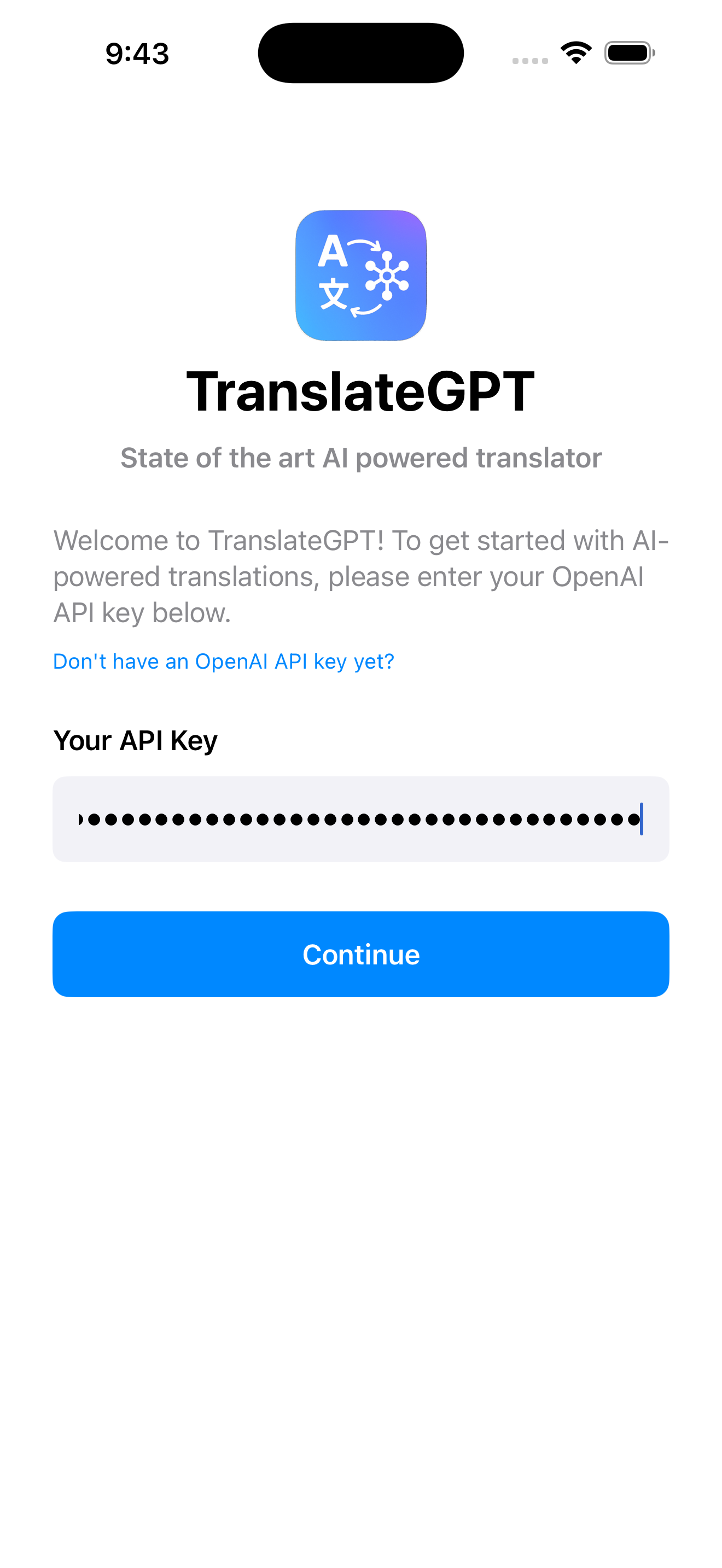
For New Users (First Time Installing the App)
- Open the TranslateGPT app on your iPhone
- The welcome screen will appear automatically
- Paste your API key into the text field
- Press "Continue"
For Returning Users (Adding or Updating Your Key)
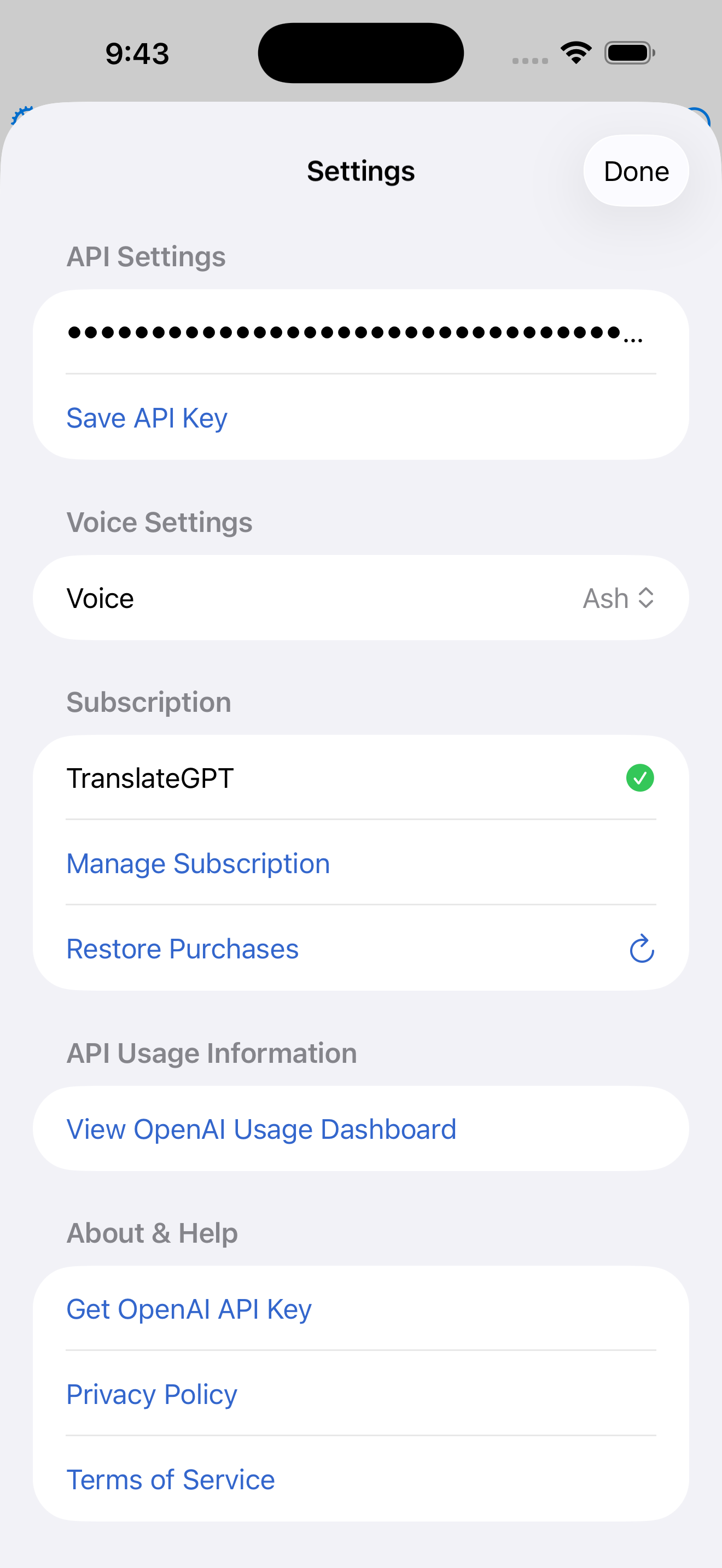
- Open the TranslateGPT app on your iPhone
- Tap the Settings icon (gear icon) in the top left
- In the "API Settings" section, paste your new key
- Press "Save API Key"
🔧 Troubleshooting
Can't create an API key?
- Ensure phone number verification is complete
- Add a payment method to your OpenAI account
- Try refreshing the page and logging in again
API key not working?
- Make sure you copied the entire key (starts with "sk-")
- Check that billing is set up in your OpenAI account
- Verify your OpenAI account balance is not empty